What to Put in Your Instagram Bio as a Lash or Nail Artist
What to write in your Instagram bio as a lash, nail or brow artist in Singapore: the four lines that matter, ready examples, and how to label your booking link.
LovingBooking Team
6 min read
In this article
Your bio is the shop window
Someone saves one of your posts, taps your name and lands on your profile. They give it a few seconds. In that time they want three answers: what do you do, are you near me, and how do I book? If the bio answers all three, they tap the link. If it says "DM for enquiries", many of them leave and never message.
This guide is about the words. If you still need to add the link itself, putting your booking link in your Instagram bio covers the steps. Here we cover what to write around it, for lash, nail and brow artists working on their own in Singapore.
The four lines that do the work
The bio is limited to 150 characters, which on a phone is about four short lines. Give each line one job:
- What you do, and your specialty. "Lash artist, natural and wispy sets." Not "beauty lover" or "passionate about lashes". A stranger wants the service, not the feeling.
- Where you are. Your area or nearest MRT, such as "Tampines, near the MRT". People in Singapore choose by travel time, and an area name answers it before they have to ask.
- One detail that sets you apart. Pick the one thing a regular would mention: "Lash lift in 60 minutes", "Russian manicure", "Brow lamination specialist", "Evening slots on weekdays".
- The pointer to the link. "Book below" or "Book your set below". Short, plain, and pointing at the link under the bio.
That is the whole bio. Everything else either belongs on your booking page or nowhere.
A booking link your bio can point to
Start freeUse the name field for search
The name field, the bold line above your bio, is what Instagram search reads when someone types "lash Tampines". Your username is your brand; the name field can carry your trade and area.
Compare:
- "Mei Ling" tells a stranger nothing.
- "Mei Ling | Lashes Tampines" tells them what and where, and gives search something to match.
Keep it short enough to read at a glance. Instagram limits how often you can change your name, so settle on one and leave it.
Examples you can copy
Change the details to yours. Each fits inside the 150 characters.
A lash artist
Natural and wispy lash sets Tampines, near the MRT Lash lift in 60 minutes Book your set below
A nail artist
Gel nails, extensions and soft art Jurong East, weekday evenings Soak-offs always on the menu Book nails below
A brow artist
Brow shaping and lamination Bukit Batok, near the interchange First visit? Pick the consultation Book below
An artist who does more than one
Lashes, plus brow lamination and gel nails Toa Payoh, by appointment Book any service below
The last line in every example points at the link. That is the line people act on, so never drop it to fit in a hashtag.
Label the link with what it does
Under your bio sits your link, and you can give it a title. Use the title to say what happens when someone taps it:
- "Book a lash set", "Book nails", "Book brows". Clear, and the service is in the words.
- Not the bare address, which looks like admin.
- Not "Link" or "Click here", which say nothing.
If you add a second link, such as an aftercare page or your Google Maps pin, put the booking link first. It is the one most visitors are looking for.
What to leave out
Some of the most common bio lines cost you bookings:
- "DM to book." It turns every interested stranger into a conversation you have to finish by hand, usually while you are mid-set. Your booking page shows the open times instead, and people can pick one at any hour.
- Long rules. "No kids, no plus-ones, 10 minutes late = cancelled, no refunds" reads as a warning before you have said hello. Put your terms on the booking page and in your policy. Cancellation policy templates give you calm wording for that.
- A full price list. There is no room, and it goes out of date. Each service on your booking page already shows its price and how long it takes.
- Promises the page cannot keep. "Reminders on WhatsApp" is one: reminders go by email, and WhatsApp reminders are not live yet.
Make the page match the bio
The bio sends people to your booking page, so the page has to finish the job. Before you change the bio, open your link on your phone and check:
- The service names match the words in your bio. If the bio says "lash lift", the page should not say "LL-01".
- Durations are real. A full lash set that takes you two hours should be two hours on the page, so it never lands in a slot you cannot keep.
- There are open dates. A link that opens on an empty fortnight teaches people the link does not work.
- People know what they will be asked. Name and email are always asked for, because the confirmation and the reminder go by email. No account is needed.
If you ask for a deposit, say so in the bio in a few words, such as "Deposit by PayNow when booking", so the payment step is not a surprise. On Pro, with your own PayNow QR on, the customer pays you directly and adds a screenshot before confirming, and you mark it received.
For the rest of the setup, booking for lash and brow studios and online booking for nail artists go into services, durations and the length of a fill.
Change it, then check it once
Update the name field, the four lines and the link title in one sitting. Then open your profile from a friend's phone, or log out and search for your own area, and read it as a stranger would. Does it say what you do, where you are and how to book? If it does, leave it alone. The bio works best when it stays the same and your posts do the changing.
When you share the link with regulars directly, what to send them with your booking link has the messages.
If you work on your own, the beauty booking page shows how it fits a one-person diary. Free covers your first 200 bookings, for up to 3 artists and 1 location, so you can set up the page and change your bio this week. Set up your booking page, then put "Book below" at the end of your bio.
A booking link your bio can point to
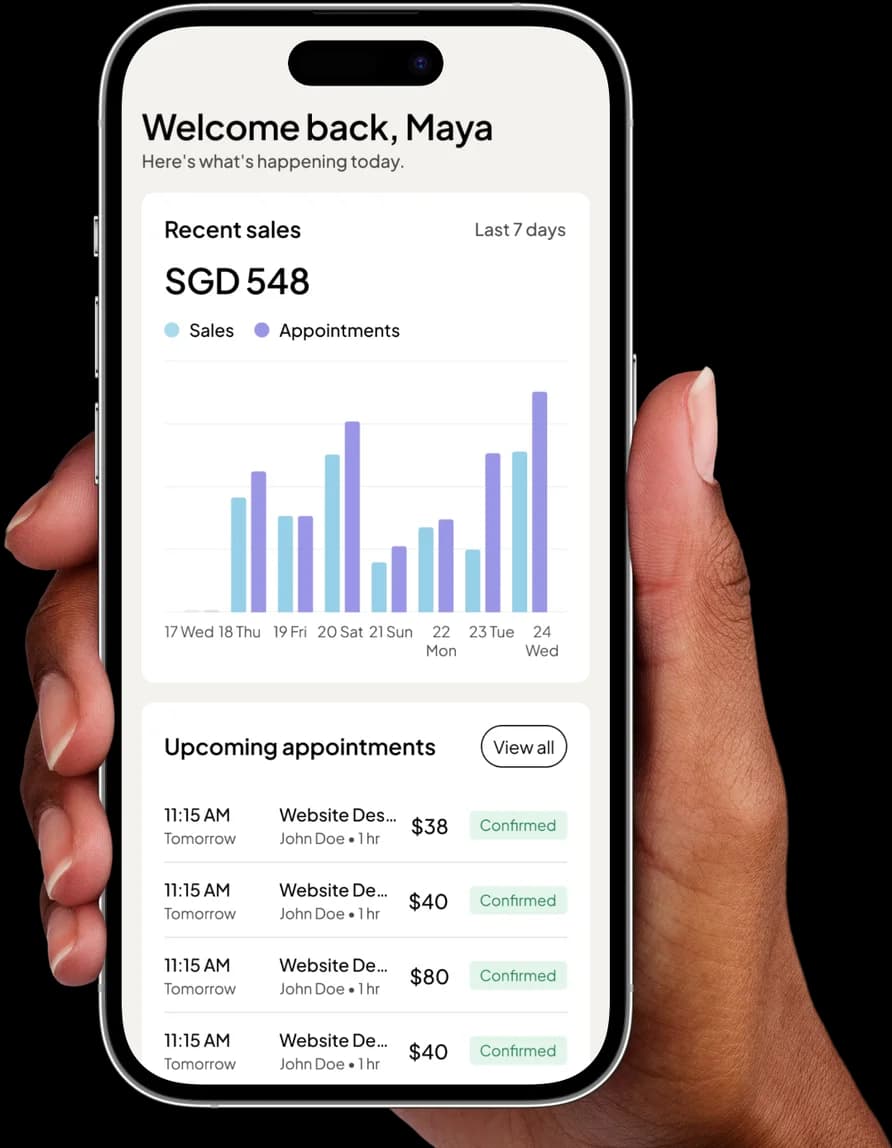
Your services, prices and open times on one mobile page. Clients book as guests, and every booking gets a confirmation email and a reminder.
Start for freeFree to start · No credit card
Frequently asked questions
How long can an Instagram bio be?
How long can an Instagram bio be?
The bio itself is limited to 150 characters, which is about four short lines on a phone. Your name, category and links sit outside that limit, so use the name field for your trade and area and keep the bio for what a new client needs to know before they tap.
Should I still write "DM to book" in my bio?
Should I still write "DM to book" in my bio?
Not once you have a booking page. "DM to book" sends every enquiry into your inbox, where it waits until you are free. "Book below" sends people to your open times, where they can pick one at any hour. You can still answer messages; the bio just stops inviting them as the only way in.
Should I put my prices in my Instagram bio?
Should I put my prices in my Instagram bio?
Usually not. There is no room, and prices change. A "from" price for your main service can help if it is a reason people choose you, but the full list belongs on your booking page, where each service shows its own price and duration next to the open times.
What should I call my booking link?
What should I call my booking link?
Name the action and the service: "Book a lash set", "Book nails" or "Book brows". If you have a second link, such as your aftercare page or a map, put the booking link first, because it is the one most visitors are looking for.
I do lashes, nails and brows. Do I need three bios?
I do lashes, nails and brows. Do I need three bios?
No. Lead with the service most people find you for, then list the others in one line, such as "Lashes, plus brow lamination and gel nails". One booking link can carry all of them, with each service on the page under its own name, price and duration.
Can I mention a deposit in my bio?
Can I mention a deposit in my bio?
You can, briefly, such as "Deposit by PayNow when booking". On Pro, with your own PayNow QR switched on, you can ask for a deposit or full payment when an appointment is booked. The customer pays you directly and adds a screenshot before confirming, and you check it by hand. Your own policy decides what happens if they cancel.