5 Things Every Booking Page Needs (That Most Businesses Miss)
Mobile-first design, clear pricing, staff photos, instant confirmation, and easy rescheduling—these essentials make or break your booking experience.
LovingBooking Team
Updated 7 min read
In this article
- The gap between "found you" and "booked you"
- 1. Mobile-first means counting taps, not just fitting the screen
- 2. Prices that survive first contact
- 3. Real photos of the people, and of the room
- 4. Instant confirmation is a document, not a thank-you
- 5. Easy rescheduling, which is the counter-intuitive one
- What to fix first
The gap between "found you" and "booked you"
Almost all the effort in a small business goes into getting someone to the booking page. The Google listing, the link in the Instagram bio, the QR code on the counter. Then the page itself quietly loses a share of the people who arrive, and you never find out, because a customer who gives up doesn't file a complaint. They close the tab and mean to come back later.
The five things below are not exotic. They get skipped precisely because they look like details. Each one answers a question the customer is asking silently, at 11pm, on a phone, with no intention of calling you to clear it up.
1. Mobile-first means counting taps, not just fitting the screen
"Responsive" is table stakes. Your page shrinks to a phone without breaking. Good. That isn't what mobile-first means.
Mobile-first means treating every tap as a chance to lose someone, and so counting them. Pick a service, pick a time, leave a name and a way to be reached. That should be most of it.
The usual culprit is the form. Every field seems reasonable on its own, and the total is what does the damage. You do not need someone's birthday, postal code, and how they heard about you before they have committed to a Tuesday. Ask for what you need to hold the slot and confirm it. Everything else can be asked in the chair, where a question is conversation rather than a toll.
The test that finds the problem
Open your own booking page on your own phone. Not the desktop preview with the browser window made narrow. Book your most popular service, one-handed, standing up, on mobile data. Time it.
If that takes more than a minute for a returning customer, something in the middle is doing work it hasn't earned. You will feel the drag before you can explain it, and the moment that irritates you is the one costing you bookings.
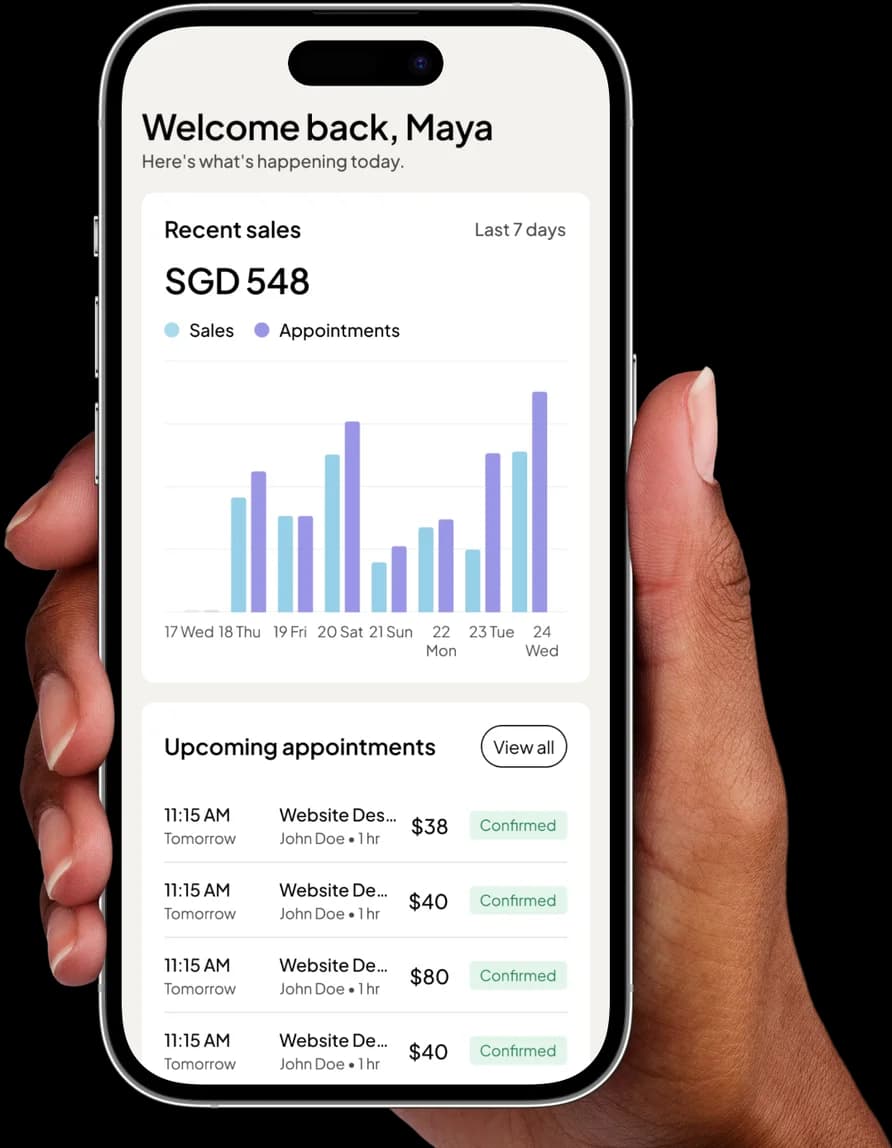
A booking page that shows the price and confirms in seconds
Start free2. Prices that survive first contact
People rarely abandon a booking because a price is high. They abandon because the price is unknown, and an unknown price gets read as either "expensive" or "there is going to be an upsell."
"From $45" is the most common own-goal on the internet. It answers nothing, and it quietly tells the customer that the real number is higher and that they will find out at the worst possible moment.
If your pricing genuinely varies, price the common case and name what moves it. "Cut and finish, $45. Add $15 for hair past the shoulder." The customer can now do the arithmetic themselves, which was the whole job.
| What the page says | What the customer reads |
|---|---|
| From $45 | It will be more than $45 and I'll find out too late |
| Price on request | I have to talk to a person before I know anything |
| Contact us for a quote | This is going to be a negotiation |
| Cut and finish, $45, 45 min | $45. 45 minutes. Fine. |
Two more things belong in the price:
- Duration is a price. It is the customer's afternoon. A 45-minute service and a three-hour service are entirely different decisions at the same dollar figure, and a page that hides the length is hiding half the cost.
- Show the running total before the commit point. If someone selects three services, the total should be on screen while they are selecting, not revealed at the end. A number that appears late feels like a number that was being kept from you.
3. Real photos of the people, and of the room
People book people. A face is the cheapest trust you will ever buy, and it does the most work for the customer who has never met you.
The part that gets missed: a stock photo is worse than no photo. Initials in a circle are honest. A model in a salon that isn't yours is a small lie, and the customer finds out on the day. If you are a one-person business, you are the staff photo — not vanity, just the answer to "who am I going to be in a room with."
A job title does work that a paragraph cannot. "Senior Barber" or "Principal Physiotherapist" sets an expectation about skill and price in two words, and justifies the price difference between two people on the same page before anyone has to discuss it.
Then photograph the room. One real picture of the actual space beats any amount of copy about atmosphere.
The Singapore-specific one
Put the unit number on the page. Not just the building, and not just the road. "#03-14", plus one line of human directions: "lift lobby beside the bank, take the lift to level 3."
A good share of the frantic calls a small business takes at 2pm are from someone standing inside the correct building, unable to find the door. That call costs you the start of an appointment and costs them the calm they arrived with. One line of text, written once, prevents it.
4. Instant confirmation is a document, not a thank-you
"Thanks, we'll be in touch to confirm" is not a confirmation. It is a maybe, and a maybe means the customer keeps shopping.
Confirm on the screen, immediately, in plain language. Then send the email, because the screen is a moment and the email is what survives. Three weeks later that email has to stand on its own in a crowded inbox and answer every question without your help:
- What they booked, and how long it takes
- When, written out properly
- Where, with the address and the unit number
- Who they are seeing
- How much it will cost
- How to change it, as a link rather than a phone number
Add a calendar link. This is the highest-leverage line in the entire email. A booking that lives only in your calendar is a booking only you are remembering. One tap that drops it into theirs is the difference between an appointment and an intention, and it works quietly for three weeks before any reminder arrives.
Say which timezone, out loud
If any of your customers are outside your city, "3pm" is not a time. It is a guess. Some booking pages show times in the business's timezone; others convert to the visitor's. Both are defensible — leaving the customer to work out which one they are looking at is not.
Find out what your page actually does, then write it down in words: "3pm Singapore time (GMT+8)", on the page and in the email. It costs one line and it prevents the specific kind of no-show where nobody did anything wrong. If most of your work is calls rather than rooms, this matters more than anything else on your page.
5. Easy rescheduling, which is the counter-intuitive one
The instinct is to make cancelling difficult so that people turn up. It is backwards: friction does not produce attendance, it produces silence, and a silent customer is a dead hour rather than a slot you could still have refilled. Our no-shows guide makes the full case; the part that belongs on your page is one link, in every email, that changes the booking without a phone call. Nobody wants to ring you to cancel. That is exactly the awkward conversation they avoid by simply not turning up.
State your notice window before they book, rather than after. "24 hours notice, please" on the confirmation page is fair, and most people respect it. The identical sentence, discovered at the moment of cancelling, reads as a trap.
What to fix first
Don't rebuild anything. Run the phone test from further up this page, as though you were a stranger, and write down every moment you hesitated. That list is your fix list, already in priority order.
It is usually the same two items: the price line and the confirmation email. Both are text. Both take an evening. Neither needs a new website, and if you are still choosing a tool, the basics of a booking system are worth reading before you commit to one. When you want somewhere to put all five, you can start free and have a page up this evening.
A booking page that shows the price and confirms in seconds
LovingBooking puts each service's price and duration on the page, then emails a confirmation with your address, an add-to-calendar link, and a link to reschedule. Free covers your first 200 bookings, for up to 3 people and 1 location.
Start for freeFree to start · No credit card
Frequently asked questions
How many steps should a booking page have?
How many steps should a booking page have?
Fewer than you think, but the step count matters less than what each step asks for. Choosing a service, a time, and leaving contact details is the irreducible core. A four-screen flow that asks nothing unnecessary beats a two-screen flow with a fifteen-field form. Audit the questions, not the screens.
Should I show prices if my pricing genuinely varies?
Should I show prices if my pricing genuinely varies?
Yes. Price the common case and name what moves it, for example "Cut and finish, $45, add $15 for hair past the shoulder." Hiding the number does not protect you from the conversation, it just moves the conversation to a point where the customer has already decided you are expensive.
I'm a one-person business. Do I still need a staff photo?
I'm a one-person business. Do I still need a staff photo?
Yes, and it matters more, not less. You are the entire service. The photo is answering "who am I going to be in a room with," which is a bigger question for a solo practitioner than for a salon with six chairs. A real photo of you beats a polished stock image every time.
What should a confirmation email actually contain?
What should a confirmation email actually contain?
Enough to stand alone three weeks later without the customer contacting you: what they booked and how long it takes, when, where including the unit number, who they are seeing, how much it costs, and a link to change or cancel it. An add-to-calendar link is the highest-value addition, because a booking in their calendar is one they will remember.
Won't making cancellation easy just mean more cancellations?
Won't making cancellation easy just mean more cancellations?
You will likely see more cancellations and fewer no-shows, and that is the trade you want. A cancellation gives you back a slot you can refill; a no-show gives you a dead hour and no warning. The person who cannot reschedule easily was never going to attend, they were just going to stay silent about it.
Do I need to mention the timezone if all my customers are in Singapore?
Do I need to mention the timezone if all my customers are in Singapore?
If every customer walks through your door, no. The moment you take calls with anyone overseas, yes, and write it out as "3pm Singapore time (GMT+8)" rather than assuming. This is the no-show where nobody made a mistake, which makes it the most frustrating kind to have.