What LovingBooking Is: Online Booking for Singapore Small Businesses
What LovingBooking is, who it is for, and what it deliberately does not do. Online booking for Singapore salons, clinics, studios and trainers.
LovingBooking Team
Updated 7 min read
In this article
The plain version
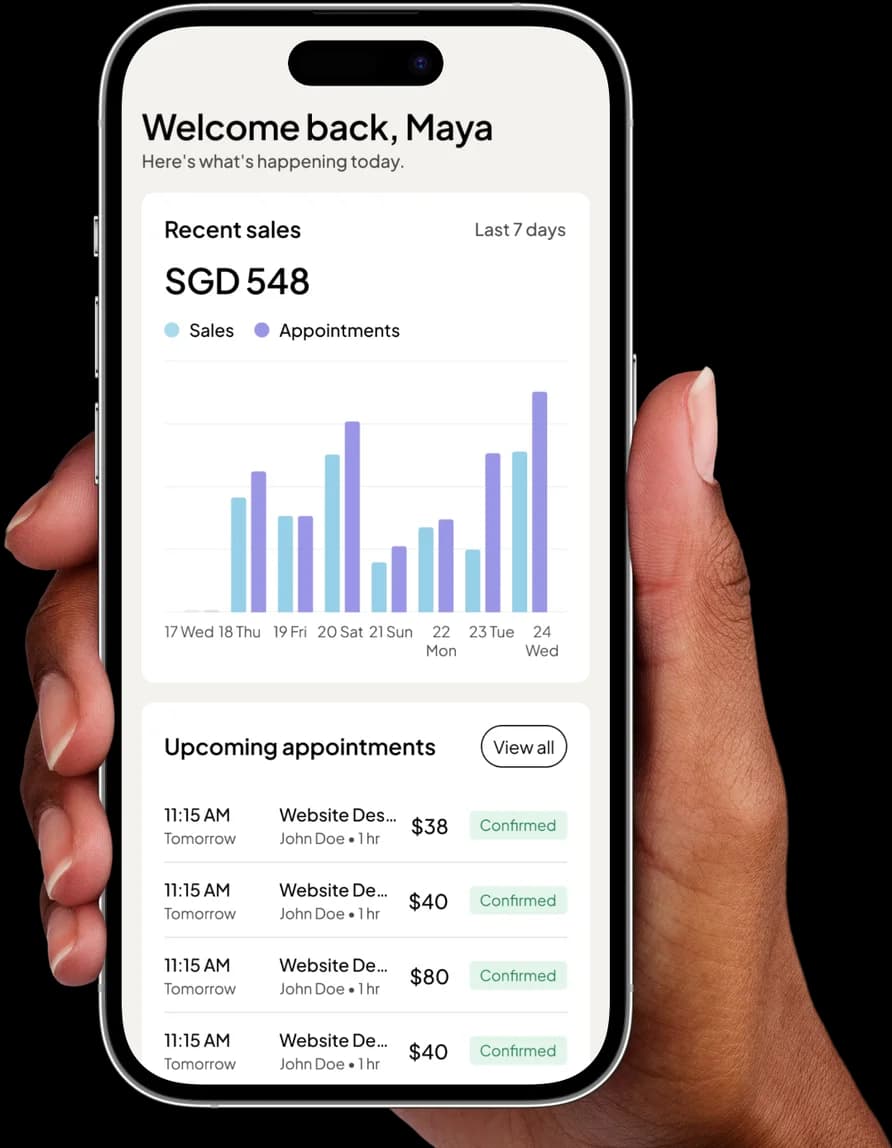
A customer opens a link. They pick a service, pick a person, pick a time, leave their name and number, and get a confirmation email. The appointment lands on your calendar. You stop keeping Saturday in your head and on the back of a receipt.
That is LovingBooking. Everything below is detail hanging off that sentence.
This page is the whole product in one read: what is in it, what is not, and enough to decide in a few minutes whether it fits your business. The list of things it does not do is further down, and it is not short. It sits here because you would find out in week two anyway, and week two is a worse time to find out, for both of us.
Why it exists
Plenty of small businesses in Singapore run the diary on a notebook and a WhatsApp thread. That works, right up until it doesn't. It fails on the Saturday when two people are written into the same 3pm. It fails when someone messages at 11pm, you reply at 9am, and by then they have booked elsewhere. Mostly it fails quietly, in ways that never arrive as a complaint — just a slot that stayed empty.
Tools that fix this already exist. They just fit strangely here.
- Fresha currently lists paid Independent and Team subscriptions, with marketplace fees potentially applying to new clients under regional terms. That marketplace can help a new salon with discovery, so compare its current costs with a predictable LovingBooking subscription. We have written up how the two compare for a Singapore salon.
- Calendly is excellent, and it is excellent at a different job. It is built around one person and a meeting link. Ask it to hold four staff, two shopfronts, services with different durations and prices, and fifteen minutes of cleanup between clients, and you are arguing with the shape of the tool. The longer comparison is here.
- Salon and clinic suites do all of it, and they price, demo and contract like software sold to a chain — because that is who they are sold to.
None of those is a bad product. There is simply a gap between them, and a lot of businesses here are sitting in it. That gap is the whole reason to build another booking tool, and it is the only reason we did.
Your services, your hours, one link to share
Start freeWhat is in it today
The booking page
Every business gets a public page on its own link — the thing you put in an Instagram bio, on a Google listing, or on a QR sticker by the till.
- Services, each with a duration, a price, and buffers before or after, so the turnaround between clients is part of the booking rather than something you have to remember.
- Staff, each with their own working hours, plus overrides for the days that don't look like the rest: the Thursday someone finishes at four, the week they are away.
- Multiple locations, if you have them.
- An embeddable launcher that puts your service list on your own website and opens the booking flow there, so you are not sending people off your site to book.
- A minimum notice setting, so nobody takes the 9am at 8.55am.
The part behind it
- Email confirmations and reminders that send themselves. You pick how far ahead the reminder goes: 1, 2, 4, 12, 24 or 48 hours.
- Google Calendar and Outlook sync, on every plan including the free one. A booking system that isn't in the calendar you already check is just a second place to forget things.
- Zoom, if some of your work is remote. Booking a slot creates a real meeting, the link rides along in the confirmation email, and it follows the appointment if the time moves.
- A customer database with history and notes, plus a CSV import so the list you already have comes with you.
- Recurring bookings — weekly, fortnightly or monthly — for the client who is in every second Tuesday.
- Packages: a block of sessions held against a customer and counted down as they book, with an optional expiry.
- A customer portal, so people can see and change their own appointments instead of messaging you to do it for them.
What it deliberately doesn't do
This is the section we would want to read first.
- No SMS. Reminders go by email. WhatsApp reminders are coming, but they are not live yet, so do not plan around them.
- No card payments and no deposits. We do not process money at all. On the paid plans you can show a PayNow QR at the end of a booking; the customer uploads the screenshot. Verify the full balance before marking the booking paid; any partial payment arranged externally stays tracked separately. That is a record, not a payment rail, and it does not hold the slot.
- No appointment standby list. An appointment cancellation does not go looking for someone to fill it. Class sessions have a separate waitlist with emailed four-hour offers.
- No rooms or resources. We model people and time. If your real constraint is two treatment rooms shared between four therapists, that is not a shape we handle.
- No file uploads at booking. You can add your own questions to the form — short text, long text, a choice list or a checkbox — but a client cannot attach a document or an image.
- One reminder timing for the whole business. Not per service, and the wording is not yours to edit.
- Times shown in your timezone, not the visitor's. For a salon in Tiong Bahru that is the right answer. For someone booking calls with London it is not.
Some of those are decisions and some are simply not built. We are not going to dress the second kind up as the first, and we are not going to put a feature on a pricing page before it exists.
Who it is for, and who it isn't
It fits if you are one person or a handful of people; if the thing you sell has a duration, a price and a person attached to it; if your customers are mostly local; if the diary currently lives in a notebook, a WhatsApp thread, or your head; and if you would rather not hand over a percentage of every new face. Salons, barbers, spas, clinics, tattoo and photography studios, trainers and independent consultants all sit squarely in that shape, and most of what is in the product is there because one of them asked for it.
It does not fit if SMS reminders are non-negotiable; if you need a deposit to hold a slot, which is the strongest anti-no-show tool there is and one we do not have; if your bottleneck is rooms rather than people; or if you are a consultant living across timezones.
Saying that plainly costs us nothing and might save you an evening. If you are still deciding whether to come off paper at all, that question is worth its own read: what an online booking system actually changes.
What it costs
Free covers your first 200 bookings, for up to 3 people and 1 location. It costs nothing until those bookings are used, and it does not ask for a card. Pro lifts those limits and adds the PayNow QR; Pro is US$12 a month for up to 3 people, then US$12 a month for each extra person, with one bill for all your businesses, and the one app-managed trial is cardless.
There is no commission on any plan. Not out of generosity — we never touch the money, so there is nothing for us to take a cut of. What you charge is what you keep.
Set up your booking page, then put the link where your customers already are. If it turns out we are not the right fit, the list above will have told you before you spent an evening finding out.
Your services, your hours, one link to share
Add what you do and when you work, and LovingBooking gives you a booking page that emails confirmations and reminders on its own. Free covers your first 200 bookings, for up to 3 people and 1 location.
Start for freeFree to start · No credit card
Frequently asked questions
What does LovingBooking actually cost?
What does LovingBooking actually cost?
Free covers your first 200 bookings, for up to 3 people and 1 location. After 200 bookings, move to Pro to keep taking bookings. Pro is US$12 a month or US$120 a year for up to 3 people, then US$12 a month or US$120 a year for each extra person, with one bill for all your businesses and free logins for anyone without a calendar. Each owner can start one app-managed 14-day Pro trial with no card, no Stripe subscription and no automatic charge; after it ends, access returns to Free unless you choose a paid subscription. There is no commission on any plan, because we never handle the payment.
Does LovingBooking send SMS or WhatsApp reminders?
Does LovingBooking send SMS or WhatsApp reminders?
Not today. Confirmations and reminders go by email only. You choose one reminder time for your business, from 1, 2, 4, 12, 24 or 48 hours before the appointment, and it applies to every booking. WhatsApp reminders are coming, but they are not live yet, so do not choose us on the strength of them. If SMS reminders are the thing you are actually shopping for, we are not the tool for you, and it is better to know that now than after you have moved your whole service list across.
Can customers pay when they book?
Can customers pay when they book?
Not by card. LovingBooking does not process payments and cannot take a deposit. On the paid plans you can display a PayNow QR at the end of the booking; the customer pays from their banking app and uploads the screenshot. Verify the full balance in your bank account before marking the booking paid; if you arrange a partial payment externally, track it separately until full settlement. It is a way to record a payment you have received, not a way to hold the slot until someone pays.
How is LovingBooking different from Fresha?
How is LovingBooking different from Fresha?
Fresha’s official pricing currently lists paid Independent and Team subscriptions, with a separate marketplace fee potentially applying to new clients under regional terms. We have no marketplace and no booking commission. Compare the current terms against your acquisition mix; if discovery is your main problem rather than admin, Fresha’s marketplace is a real advantage we do not have.
Which kinds of business is LovingBooking built for?
Which kinds of business is LovingBooking built for?
Salons, barbers, spas, clinics, tattoo and photography studios, personal trainers and independent consultants: any business where the thing you sell has a duration, a price and a person attached to it. It is shaped for one person or a handful rather than a chain, and it assumes your customers are mostly local, because booking pages always show times in your business timezone rather than converting to each visitor's. That is the right answer for a shopfront and the wrong one for cross-border calls.
Can I bring my existing customers across?
Can I bring my existing customers across?
Yes, through a CSV import into the customer database, so you are not retyping a contact list you already have. Past appointment history does not come with it, as the import brings people rather than their bookings. Everything from the first booking onwards accumulates in the customer record as normal, along with any notes you add.